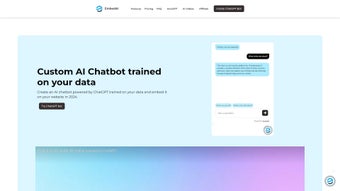

Download HeyBot – AI Discord Management Tool
Overview
HeyBot is an AI‑driven chatbot built on top of ChatGPT, purpose‑crafted for Discord community managers who want to automate moderation, role distribution, and everyday engagement. Delivered as a subscription‑based web app, HeyBot lets you transform your Discord server into a self‑service hub where repetitive tasks are handled automatically and members receive instant, personalized responses. With a one‑click Google login, the platform removes the friction of setup and gets you straight to the conversation.
Whether you run a gaming clan, a tech forum, or a hobbyist group, HeyBot supplies the tools to keep your server orderly, boost interaction, and gain insights into member activity—all without writing a single line of code. The service also offers a 7‑day free trial, allowing you to test every premium feature before committing to the monthly plan. Security is a core focus: all data passes through encrypted channels, and OAuth2 ensures that only verified admins can access the control panel.
In this review we’ll explore the core capabilities, walk through the installation process, examine cross‑platform compatibility, weigh the advantages and drawbacks, and answer the most common questions so you can decide whether HeyBot is the right addition to your Discord toolbox.
Key Features That Power Discord Communities
- AI‑Powered Moderation: Real‑time scanning of messages, automatic deletion of spam, profanity, or rule‑breaking content based on custom policies you define.
- Role Assignment Automation: Users can claim or earn roles through simple commands, reaction‑based triggers, or achievement milestones, eliminating manual admin work.
- Personalized Q&A: Leveraging ChatGPT, HeyBot delivers context‑aware answers to frequently asked questions, such as server rules, event schedules, or member introductions.
- Insight Dashboard: Built‑in analytics panel shows active users, peak chat times, and engagement metrics, helping you fine‑tune community strategies.
- Custom Command Builder: No coding required – create bespoke slash commands with a visual editor, linking them to external APIs or internal FAQs.
- Secure Google Sign‑In: OAuth2 authentication ensures that only verified admins can access the HeyBot control panel, while member data remains encrypted.
- Scheduled Announcements: Plan recurring messages for events, maintenance windows, or community highlights, and let HeyBot post them automatically.
- Multi‑Server Management: Control several Discord servers from a single dashboard, sharing settings or applying unique configurations per community.
- Extensive Language Support: The AI engine understands and responds in multiple languages, making it suitable for international servers.
- Activity‑Based Rewards: Set up automatic role grants based on chat activity, encouraging participation and fostering a vibrant community culture.
Installation, Usage, and Compatibility – Getting Started with HeyBot
Setting up HeyBot is intentionally straightforward, reflecting the platform’s focus on ease of use. Follow these steps to have the bot running on your Discord server within minutes, and you’ll also discover how the cloud‑based architecture simplifies cross‑device management.
- Create a HeyBot account: Visit the official HeyBot website and click the “Sign in with Google” button. Your Google credentials are handled via OAuth2, so no password is stored on HeyBot’s servers.
- Connect your Discord server: After logging in, you’ll see an “Add to Discord” button. Clicking it redirects you to Discord’s authorization page where you grant HeyBot the necessary permissions (Manage Roles, Manage Messages, Read Message History, etc.). Choose the server you wish to manage and confirm.
- Configure basic settings: In the HeyBot dashboard, start with the “Quick Setup” wizard. Define your moderation rules, enable the role‑assignment module, and upload any custom FAQ entries you want the AI to answer.
- Test the bot: In any text channel of your server, type
/heybot help. The bot should respond with a list of available commands, confirming that the integration succeeded. - Fine‑tune automation: Use the visual command builder to create new slash commands. For example, you could set up
/event createthat posts an event embed and automatically assigns an “Event Participant” role when users react with a ✅. - Monitor performance: The dashboard’s analytics tab shows real‑time activity. Review moderation actions, role assignment trends, and user sentiment to adjust settings as needed.
- Invite team members: If you manage a larger community, you can add additional admins to the HeyBot panel with granular permission levels, ensuring that each team member only accesses the tools they need.
- Update and iterate: HeyBot receives monthly AI model updates and feature enhancements. The platform notifies you of new capabilities, and you can enable them with a single toggle.
Compatibility: HeyBot is a cloud‑based service, so it works on any device that can access a modern web browser. Whether you’re on Windows 10/11, macOS Ventura, Linux, Android 9+, or iOS 14+, you can manage your Discord server from a laptop, tablet, or smartphone. The bot itself runs on Discord’s servers, meaning there’s no local installation required for the AI components, and the experience remains consistent across platforms.
Pros, Cons, Frequently Asked Questions, and Final Verdict
Below you’ll find a balanced look at HeyBot’s strengths and weaknesses, answers to the most common queries, and a concise recommendation that helps you decide if this AI‑powered tool fits your Discord workflow.
Pros
- Zero‑code setup – perfect for non‑technical community managers.
- Powerful AI responses that feel natural and context‑aware.
- Comprehensive moderation tools that reduce manual workload.
- Insightful analytics for data‑driven community growth.
- Multi‑server dashboard saves time for agencies handling several communities.
- Extensive language support broadens reach for international servers.
- Scheduled announcements keep members informed without constant admin effort.
- Secure OAuth2 login protects admin credentials.
Cons
- Currently limited to Discord; no support for Slack, Teams, or other platforms.
- Complex query handling can be hit‑or‑miss – the AI may struggle with highly technical questions.
- Subscription pricing ($9.99 / month) may be a barrier for very small hobby servers.
- Reliance on an external service means downtime is tied to HeyBot’s own servers.
- Feature set, while broad, may feel overwhelming for brand‑new server owners without a clear onboarding guide.
Frequently Asked Questions
Is HeyBot free to use?
HeyBot offers a 7‑day free trial that includes all premium features. After the trial, a subscription of $9.99 per month is required to keep the bot active on your server.
Can I customize the moderation rules?
Yes. HeyBot provides a visual rule editor where you can set keyword filters, user‑level restrictions, and channel‑specific policies. Changes take effect instantly.
What data does HeyBot store about my community?
HeyBot stores message metadata (timestamps, user IDs, and content snippets) solely for moderation and analytics purposes. All data is encrypted in transit and at rest, and it is never sold to third parties.
Will HeyBot interfere with other bots I have installed?
HeyBot is designed to coexist with other bots. It only acts on messages that match its configured triggers, so you can safely run it alongside music bots, game bots, or utility bots.
How do I cancel my subscription?
Log in to your HeyBot dashboard, navigate to the “Billing” tab, and click “Cancel Subscription.” Your access will remain active until the end of the current billing cycle.
Final Verdict
For Discord community leaders who spend more time handling repetitive tasks than fostering genuine conversation, HeyBot offers a compelling blend of AI‑driven interaction and hands‑free moderation. Its point‑and‑click setup, multi‑server management, real‑time analytics, and multilingual support make it stand out from generic moderation bots that lack conversational depth. While the exclusive focus on Discord and the modest subscription fee may give some hobbyists pause, the productivity gains, improved member experience, and security features typically outweigh those concerns. If you’re ready to reduce manual workload, keep your server safe from spam, and provide instant, personalized answers to your members, download HeyBot today and transform the way you manage Discord communities.



.png)



